
Building a Dashboard
From an empty dashboard to a table of real results, and knowing the results are complete.
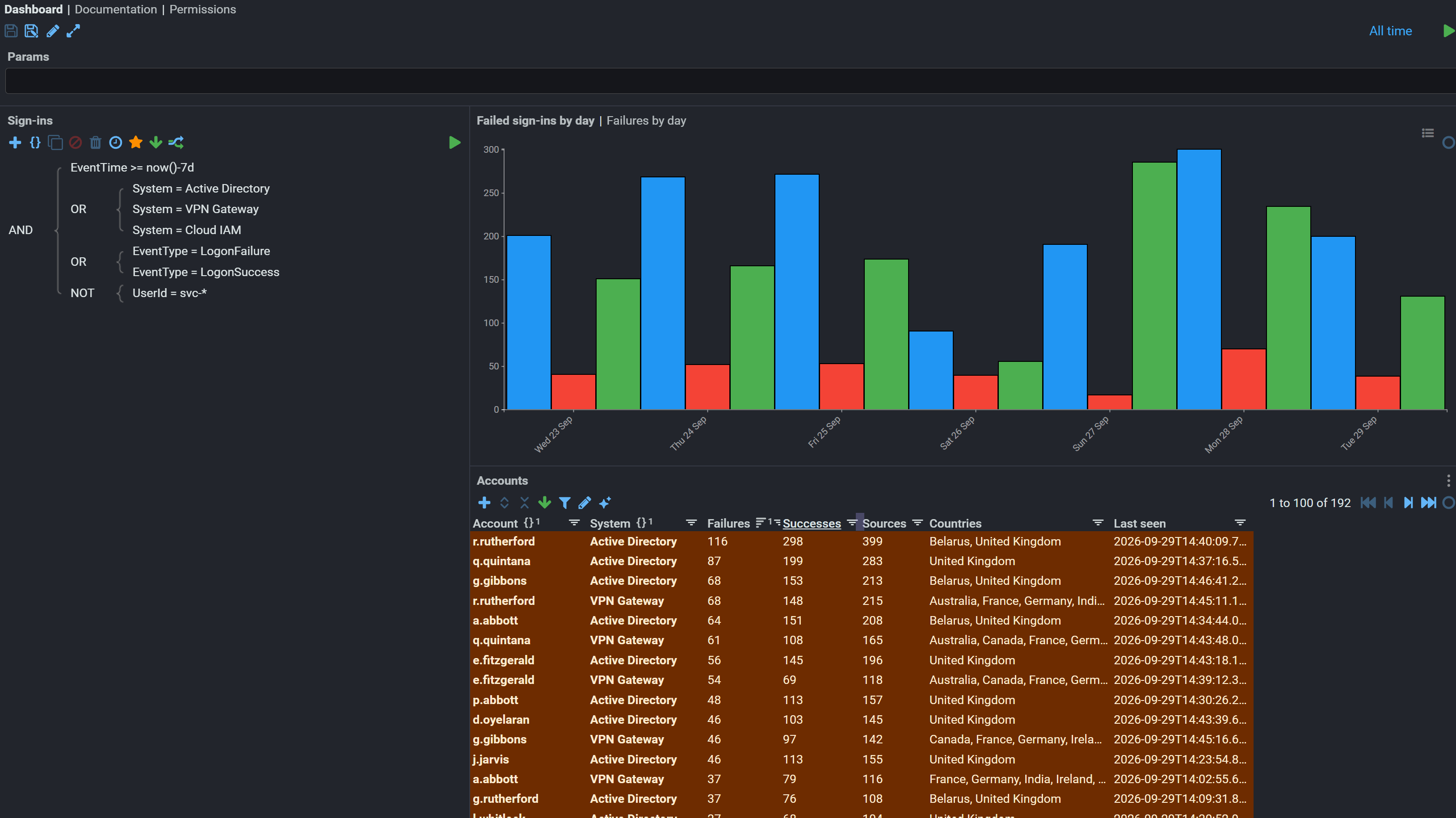
A dashboard is a document like any other. It holds a query, and components that display what the query returns.
The quickest route
If you already have a query that returns what you want, you do not have to build the dashboard by hand. The Data tab of an Index, a Plan B store, a SQL Temporal Store and a FloorMap Event Store each has a Create Dashboard button, which makes a dashboard from the query currently in the tab.
It carries over both the query and the table's column setup, so the dashboard opens showing what you were already looking at. From there you add visualisations and the rest as normal.
This is worth knowing before building one from scratch, because exploring in a Data tab and then promoting the result is usually faster than configuring a dashboard and then working out the query inside it.
For what a particular store can and cannot answer, and what has to be in place before it will return anything, see A dashboard from a store.
Building one from scratch
- Create the Dashboard document where the people who need it can read it.
- Set the data source on the query component: the index or view you are searching.
- Build the expression. Terms combine with
AND,ORandNOT. Start with one term you are confident matches, rather than the full expression you eventually want. - Set the time range. Searches are bounded by event time, and a range of "last hour" over a backfill finds nothing.
- Add a table and choose its columns. A table is required before a visualisation, because visualisations draw what a table produces.
- Run it, then narrow.
Building up from one term is worth the discipline. An expression assembled all at once that returns nothing gives you no information about which part is wrong.
How long: immediate
Results begin arriving while the search is still running, and the table fills progressively. A result count that is still climbing is a search in progress, not a finished answer, which matters when you are comparing counts.
Searches over long ranges or many shards take proportionally longer. The query component shows when the search is complete.
Check it worked
Compare one result in the dashboard against the original data: open the underlying stream and confirm the event is there and its field values match the row.
The check that matters most
One row in the table matches the event in the source stream, field for field.
This checks the whole path at once: the index holds what you think, the extraction is returning the right record, and the columns are mapped to the fields you meant.
This does not prove it worked
Results appearing is not proof the search is complete. A search still running shows a partial table that looks exactly like a finished small one.
A count matching your expectation is not proof the expression is right, if the time range happens to exclude the cases that would disagree. Widen the range and see whether the count moves as you predict.
Fails silently
An empty result is the same shape whether nothing matched or you cannot see it.
Permissions are applied per feed. A dashboard run by someone without access to a feed returns no rows from it and says nothing about why, so two people running the same dashboard can legitimately get different answers.
When a result looks short, compare it with someone who has broader access before investigating the query.
If it isn't working
In order. Each step rules out a class of cause, so don't skip ahead.
- Is the time range right? On event time, not receipt time. The single most common cause.
- Does one term on its own return anything? Strip the expression back until it does, then add terms until it stops.
- Is the term an exact match on an analysed field, or the reverse? See Choosing fields.
- Is the data indexed at all? Search without any term over a wide range. Nothing there means the problem is indexing, not the query.
- Can you read the feeds? Ask someone with wider permission to run the same search.
- Is indexing still behind? Check the indexing processor filter has caught up.